How to Copy Instagram Profile Link (and Every Other Platform)
To copy a link, open the share menu or the three dots inside the app and tap Copy link, or copy the address from your browser bar on a computer. A profile link points to a whole account, a post link to one item. Read the service description to see which one an order needs, and make sure the account is public. Menu names can change between app versions.
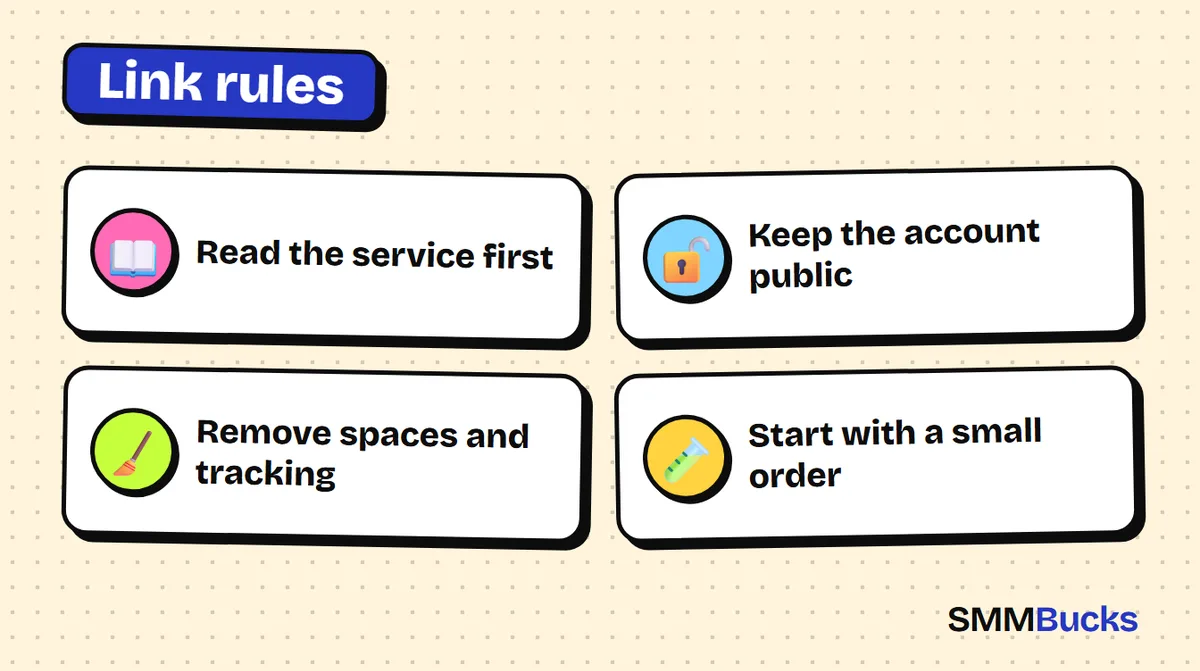
- Read the service first
- Keep the account public
- Remove spaces and tracking
- Start with a small order
You open an order page and see a box labelled "Link". You paste a username, an expired story link, or a URL with a stray space, and the order fails or lands somewhere you never meant. The simple question how to copy Instagram profile link hides many small differences between platforms. This guide gives you the steps for each platform, a way to know which link a service wants, the most common mistakes, and a checklist to run before any order on SMMBucks or anywhere else.
What is the difference between a profile link and a post link?
A profile link is the address of your whole account or channel. A post link is the address of one item, such as a video, photo or reel. Profile links suit followers and subscribers. Post links suit likes, views and comments.
Tip: A correct link almost always starts with https and contains the platform's name.
How to copy Instagram profile link, post and reel?
To copy your Instagram profile link in the app, open your profile, tap the share button or the three dots, and choose Copy link. For a post or reel, open it, tap the send icon below it, then Copy link. Button names change between versions, so look for the closest match.
Your profile link
- Open Instagram and go to your profile.
- Tap Share profile, or the top menu if you cannot see it, then Copy link.
- Paste it into your notes and check that it looks like instagram.com/yourname.
If you search how to copy my Instagram profile link or how to copy Instagram profile link on iPhone, the steps are the same on iPhone and Android.
A post or reel link
- Open the post or reel itself, not the page that contains it.
- Tap the send icon, or the three dots, then Copy link.
- Check the address: posts usually contain /p/, reels usually /reel/ (sometimes /p/).
On a computer, copy the address from the browser bar. A private account's posts open only for its followers.
How to copy TikTok video link, profile and live links?
A TikTok profile link looks like tiktok.com/@yourname. To learn how to copy TikTok video link, open the video, tap the share arrow on the side and choose Copy link. For your profile, use the share icon at the top of the Profile tab. Some versions hide these behind the three dots.
- Open the Profile tab or the video.
- Tap the share icon or arrow, then Copy link.
- Check the shape: tiktok.com/@yourname for a profile, tiktok.com/@yourname/video/ plus a long number for a video.
For a live, we could not find a reliable source for the exact step, so look for the share button on the live screen, and read the service description first.
How to copy YouTube channel link, video and Shorts links?
To copy a YouTube video link, tap Share under the video, then Copy. For the channel, copy the address from the browser bar. Shorts work like videos. Button shapes may change over time.
How to copy YouTube channel link
- On a computer, open your channel and copy the full address, usually youtube.com/@yourname.
- On a phone, open the channel and use the share button or the three dots, then Copy link.
Video and Shorts links
- Open the video itself, not the playlist that holds it.
- Tap Share, then Copy. The link often starts with youtu.be, which is valid.
- Make sure the video is not private or Unlisted if the service asks for a public video.
A playlist link is not a video link. For more on this type of service, read the YouTube views guide.
How to copy Facebook page link and Telegram channel link?
On Facebook, copy a page link from the three dots at the top of the page, and a post link from Share, then Copy link. On Telegram, open the channel info and tap the link. Details shift with updates.
- Open the page itself, not your personal profile, and tap the three dots or Share, then Copy link.
- For a post, tap Share under it, then Copy link.
- If the post's audience is Friends, a stranger cannot open it. Make it public before ordering.
How to copy Telegram channel link
- Open the channel and tap its name at the top.
- Find the link on the info page, usually t.me/channel_name, tap it and choose Copy link.
- For one post in a public channel, tap the share icon beside it, then Copy link. The shape is t.me/channel_name/number.
A private channel has an invite link, which differs from a public channel link, so confirm your channel type first. See also the Telegram channel growth guide.
How to copy X (Twitter), Snapchat and Spotify links?
On X, copy a post link with Share, then Copy link to post, and take the profile link from the browser bar. On Snapchat, share your username from Add Friends. On Spotify, tap the three dots, then Share, then Copy link.
- X profile: copy the address from the browser bar, like x.com/yourname.
- X post: tap the share button, then Copy link to post. The shape is x.com/yourname/status/ plus a long number. A protected account's posts open only for followers.
- Snapchat: from the camera screen open your profile, choose Add Friends, and use the button that shares your username or an invite link. It usually looks like snapchat.com/add/yourname.
- Spotify: open the artist, track or playlist, tap the three dots, then Share, then Copy link.
Snapchat's path changes across versions and our sources are unofficial, so look for any button that shares your profile as a link. See also the Snapchat growth guide for the Gulf.
Which link does a service ask for: profile or post?
Read the service description before ordering, because it names the type. Followers and subscribers services usually need the profile or channel link. Likes, views and comments services need the post link. If the description is unclear, do not guess; check the FAQ page.
SMMBucks writes a description for each service, with pages such as Instagram followers, TikTok followers and Telegram members. New to terms like start time and refill? The SMM glossary explains them, and the FAQ page covers the rest.
Tip: Make your first order tiny, then compare the link in your order history with what you pasted.
Why must your account be public when the order starts?
On SMMBucks the account must be public when an order starts. The order needs to open your link from outside, and a private account opens only for people it has accepted. You never need to share a password. Only a public link or a username is required.
Orders start automatically after payment, so set the account to public before paying.
How to check it yourself
- Open the link in a private (incognito) window without logging in.
- If the content shows, it is public. If you see a login prompt or "content not available", change the privacy settings first.
No service guarantees 100% results, and every platform has policies about artificial engagement. Read them and decide responsibly.
What are the most common link mistakes that break an order?
The usual culprits are a private account link, a shortened link that redirects elsewhere, an extra space, a username where a link is expected, or a story link that vanishes after a day. Each is caught with one glance before you pay.
- Private account: nobody outside can open it. Make it public.
- Shortened link: copy the final address after the redirect.
- Extra space: common when pasting from a notes app. Delete spaces at the start and end.
- Name instead of link: if the box wants a link, do not type only @yourname, and vice versa.
- Story link: stories disappear. Use a permanent post.
- Editing after payment: do not change your username or delete the post.
What is the quick checklist to run before any order?
Before you pay, run through seven items that take two minutes: link type, privacy, correct address, no stray spaces, not a story, the service description, and a small first order.
- Did you read the service description and learn whether it wants a profile or a post?
- Is the account or post public?
- Did the link show the content in a private window?
- Is it complete, starting with https and not shortened?
- Is it free of spaces at the start and end?
- Is it a permanent post, not a story?
- Will the account stay public until the order has started?
When you don't need this service at all
If your account is new with no clear content, publish first. Growth services only change how numbers look and do not replace content. For the wider picture, read Is buying followers safe?
Before your first order, open each of your links in a private window and strip any spaces or tracking parts. Then pick a service from the services list and start small.
Frequently asked questions
How do I copy my Instagram profile link on my phone?
Open your profile in the app, tap Share profile or the top menu, and choose Copy link. Check that it looks like instagram.com/yourname. Button names differ between app versions, so if you cannot find the option, open Instagram in a browser and copy the address.
What is the difference between a profile link and a post link?
A profile link leads to your whole account or channel and is used for followers and subscribers services. A post link leads to one item, such as a video, photo or reel, and is used for likes, views and comments. Read the service description to see which one is required.
How do I copy a TikTok video link or profile link?
For a profile, open the Profile tab, tap the share icon or the three dots, and choose Copy link. For a video, open it, tap the share arrow and choose Copy link. If your version differs, use the nearest share option, or copy the address from a browser.
How do I copy a YouTube channel link or video link?
For a video, tap Share under the player and then Copy, which usually gives a link starting with youtu.be. For a channel, open its page and copy the full address from the browser bar on a computer, or use the share button in the app. Make sure the video is not private.
How do I copy a Telegram channel link?
Open the channel and tap its name at the top, then find the link that looks like t.me/channel_name, tap it and choose Copy link. For one post, tap the share icon beside it. A private channel has a different invite link, and the platform may move buttons in updates.
Does my account have to be public when I place an order?
Yes. On SMMBucks the account must be public when the order starts, because the order has to open your link from outside. You never need a password, only a link or username. Check in a private window and keep it public until your order history shows it has started.
Why does the site not accept the link I pasted?
Usually a common mistake: a private account, a shortened link, a stray space, a story link, or a username in the link box. Open the link in a private window, copy it again from the share menu, and read the service description. If it is still unclear, check the FAQ page.
Ready once the link is right?
Read the service description on SMMBucks, make sure your account is public, and start with a small order you can check in your order history.
Browse services