How to Increase Engagement on Instagram: Reels & Stories Plan
To increase engagement on Instagram, make content worth watching, saving, sending and answering: a strong hook in the first two seconds, reels with an ending that invites a replay, carousels people save, and fast replies to comments. Test posting times yourself and track your engagement rate weekly. Paid likes or views are only a small supporting nudge and guarantee nothing.
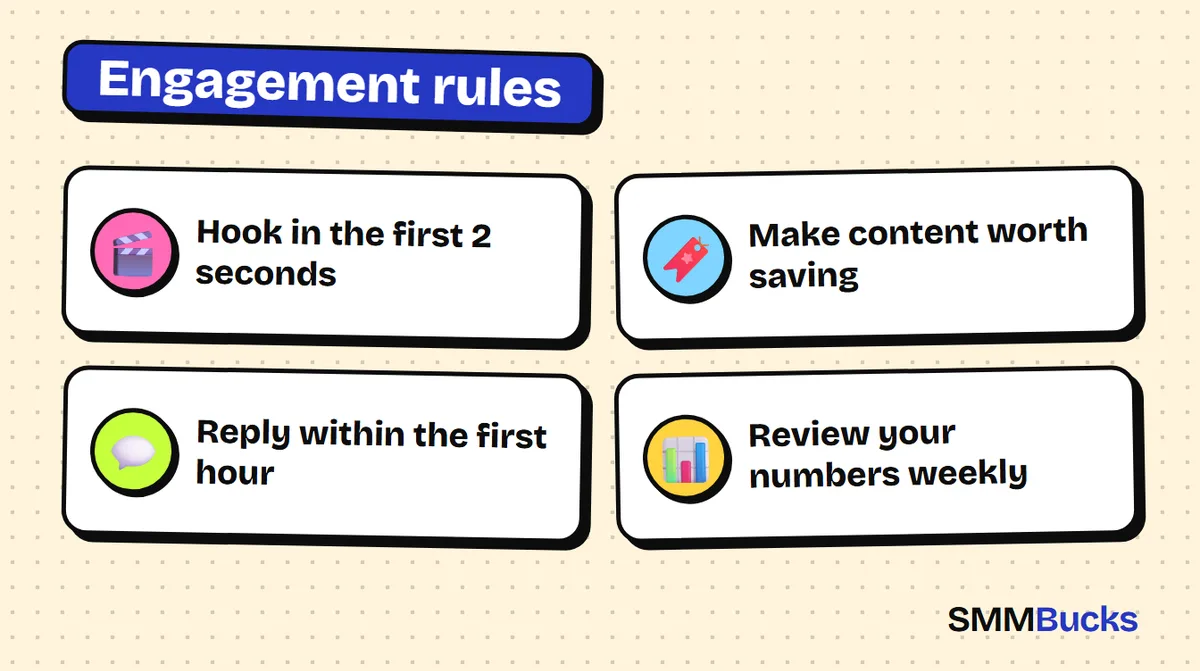
- Hook in the first 2 seconds
- Make content worth saving
- Reply within the first hour
- Review your numbers weekly
You post a reel every day with real effort, a handful of people watch it, and nobody comments. The problem is rarely your follower count. It is usually that the content gives people no reason to stop, save it or send it to a friend. In this guide you will learn how to increase engagement on Instagram: how to calculate your engagement rate, which signals the platform reportedly cares about, how to build reels, carousels and stories that earn interaction, and a weekly schedule you can copy. You also get a plain-spoken look at what paid boosts can and cannot do.
What is Instagram engagement rate and how do you calculate it?
Instagram engagement rate is the share of people who interacted with a post compared with the people who saw it. Two formulas are common: divide by your follower count, or divide by reach (the accounts that actually saw the post). The reach version is more accurate because it measures the post itself.
Hypothetical example: a reel reaches 4,000 accounts and gets 120 likes, 15 comments, 40 saves and 25 shares. That is 200 interactions. Engagement rate = 200 ÷ 4,000 = 5%.
The number alone means little. Compare your own posts with each other: what lifted the rate on your best reel? A simple spreadsheet works like any Instagram engagement rate calculator and teaches you more.
Tip: log the reach and interactions of every post in a simple sheet. After a month you will see your own patterns without guessing.
Do not judge a post by likes alone. Keep likes, comments, saves and shares in separate columns.
What does the Instagram reels views algorithm reward?
Statements attributed to Instagram officials, repeated in many marketing articles, point to three main reel signals: watch time, likes relative to reach, and sends relative to reach (shares through messages). I could not confirm every detail against an original source, so treat the weights as unproven and check Instagram's official creator pages.
Here is the practical takeaway about the Instagram reels views algorithm, without pretending to know its secrets:
- Staying to the end: people who get past the first seconds and keep watching send a good signal.
- Sends and saves: they suggest the content is useful enough to revisit or pass to a friend.
- Comments and replies: they suggest a real conversation around the post.
Design every post around one question: why would someone send this to a friend?
Hypothetical example: one reel opens with a long intro about yourself, another opens with the result, then explains how. Viewers will probably leave the first. Change only the scene order and watch the retention graph in your reel insights.
How to increase engagement on Instagram reels people watch to the end
To increase engagement on Instagram reels, think in four short stages, because a reel that holds attention earns more of everything else.
- The hook (first two seconds): a line or scene that stops the thumb. Do not open by introducing yourself.
- The value: three points at most, each in one short sentence with a fresh visual.
- The loop: make the last line connect to the first, so viewers replay without noticing.
- One action: save, send, or comment one word. Only one.
Hook templates you can adapt:
- "Three mistakes that keep your reels under 200 views."
Tip: add on-screen text. Many people watch without sound, and written words hold their attention.
Pre-posting checklist:
- Can the idea be understood in one second?
- Did you cut silence from the start?
- Is the on-screen text large enough to read on a phone?
How do you make carousels worth saving?
A carousel is a multi-slide post, and it suits content people return to: lists, steps and comparisons. Saves and shares are among the strongest actions you can ask for, because they are deliberate. This is an easy way to increase engagement on Instagram posts without filming anything.
A simple seven-slide structure:
- Slide 1: a clear promise in a short title ("5 ideas for...").
- Slides 2 to 6: one idea per slide, a sentence plus one line of explanation.
- Slide 7: a summary and a line like "save this for when you are ready to act."
Make slide one spark curiosity and the last slide give a reason to save.
Use large type and few words per slide. A successful carousel can be reposted weeks later with a new cover.
How to increase engagement on Instagram stories with stickers
Stories speak mostly to people who already know you, and those people comment and message the most. To increase engagement on Instagram stories, use stickers to turn a quick view into a response.
- Poll: a two-option question about your next reel, so you learn what your audience wants.
- Questions box: ask for one question on a specific topic, not "ask me anything."
- Quiz: three options, answer in the next story.
Reply to every answer with a short personal message; each reply builds a relationship. Share each new reel in your story too, so followers return to it.
How do you get more comments and start real conversations?
Writing "What do you think?" is not enough. Good comments are how to increase engagement on Instagram posts fastest. Ask a question that is easy to answer in one line, and reply fast.
- "Comment the word PLAN and I will send you the template."
After posting:
- Reply within the first hour to every comment. Early conversation encourages others to join.
- Pin a comment that contains a question people want to answer.
- Comment on bigger accounts in your niche with useful two-sentence comments, not "Great!"
Avoid automated conversations and copy-pasted comments. Everyone can see them, and they hurt your reputation.
When is the best time to post? A simple way to test it
There is no magic time for everyone. Use the analytics in your professional account to see when your followers are active, then run your own test.
- Pick three time slots (morning, midday, evening).
- Post a similar type of content in each slot, at least twice per slot.
- Compare reach and engagement rate after 48 hours.
- Keep the winning slot for two weeks, then test again.
How do collaborations and repurposing multiply your reach?
Collaborating with a nearby, non-competing account introduces you to a new audience. Try a joint reel or a "swap tips" format.
Then repurpose content instead of starting from scratch every time:
- A winning reel becomes a carousel of its key points.
- A question you keep getting in messages becomes a story with a questions box.
Do not skip the basics we covered in our Instagram followers guide before you scale up. A clear profile is what turns a visitor into a follower.
What does a weekly schedule for more engagement look like?
Adjust this schedule to your time. Consistency is what counts:
- Saturday: an educational reel with a strong hook.
- Sunday: stories with a poll, plus replying to messages.
- Monday: a carousel built for saves.
- Tuesday: comment on 10 accounts in your niche.
- Wednesday: a behind-the-scenes reel.
- Thursday: stories with a questions box, and planning next week.
- Friday: rest and review your numbers.
Each week, note which post earned the most saves and which hook stopped viewers, and build on that.
Does an Instagram engagement booster help? The honest limits
Some account owners use a likes or reel-views service as a small supporting push, so a post looks a little stronger to a first-time visitor. At SMMBucks, Instagram services start from $0.03 per 1000 likes and from $0.01 per 1000 reel and video views. Orders start automatically after payment and need no password, only a public link, and the account must be public when the order starts.
Start with a small quantity on one post; a purchased number does not reflect audience opinion. But know the limits honestly:
- No service guarantees 100% results, rankings or more reach.
- Purchased numbers do not replace weak content and do not create real saves or comments.
- Instagram has policies about artificial engagement, so read them and decide responsibly.
- Read each service description before ordering, then check your order history and the FAQ page.
When you do not need this: if your account has no organized content yet, skip growth services entirely. Build the foundation first. To understand quality differences, read real vs fake followers explained.
Which numbers should you track weekly, and what is this week's plan?
Collect these numbers in one sheet every week:
- Average reach per reel.
- Engagement rate (the formula is at the start of this article).
- Saves and shares per post.
- New followers and their source.
- How much of each reel viewers watch, if insights show it.
This week's plan: pick an old reel that did well and remake it with a new hook, publish one carousel built for saves, and reply to every comment within the first hour. If you are just starting out, follow the 30-day new account plan, and for wider follower tactics read the Instagram followers guide.
After four weeks you will know what deserves repeating. That keeps SMMBucks or any similar service a minor extra, never a replacement for your own work.
Frequently asked questions
What is a good engagement rate on Instagram?
There is no single figure that fits everyone, because it varies by niche, account size and calculation method. Compare your own posts for a month, find your average, then try to raise it gradually. Be careful with numbers quoted without a clear source. Start by calculating the rate for your last ten posts.
How can I get more views on Instagram reels without ads?
Open with a strong hook in the first two seconds, keep the reel short and useful, add on-screen text, and end with one action such as save or send. Nobody can promise a set number of views, but these steps improve your odds. Check each reel's insights to see where viewers drop off.
Are saves and shares more important than likes?
Sources quoting platform officials say sends and watch time are important reel signals, and saves and shares show the content is valuable. That does not mean ignoring likes. Design each post so it deserves a save or a send, and the other interactions tend to follow. Ask for just one action at the end.
How often should I post on Instagram each week?
Start with a number you can keep up, such as two reels, one carousel and daily stories. Consistency beats volume, because rushed posting lowers quality. Check your numbers weekly: if engagement rises as you post more, increase gradually; if it falls, return to your earlier pace.
Is it safe to buy Instagram likes and reel views?
No service can promise complete safety or guaranteed results, and Instagram has policies about artificial engagement. If you choose to use one, keep it a small supporting push behind good content, read the service description, make sure the account is public when the order starts, and check the FAQ page. Never rely on it alone.
Does commenting on bigger accounts help my engagement?
It can, if your comment is specific and useful rather than generic, because readers may visit your profile out of curiosity. Avoid spammy links and repeated copy-paste. Spend ten minutes a day on accounts in your niche and expect gradual results, not instant ones.
Give your post a small push
Once your content is ready, you can support it with likes and reel views from SMMBucks. Read each service description first.
See Instagram services