How to Write a Twitter Thread That Gets Reach: Templates
A twitter thread is a chain of connected posts from one account that reads like a short story. The strongest threads open with a post that promises one clear result, then add five to eight posts with one idea each, then close with a single call to action. Nobody can guarantee reach, so publish two threads with different openers and compare your own numbers.
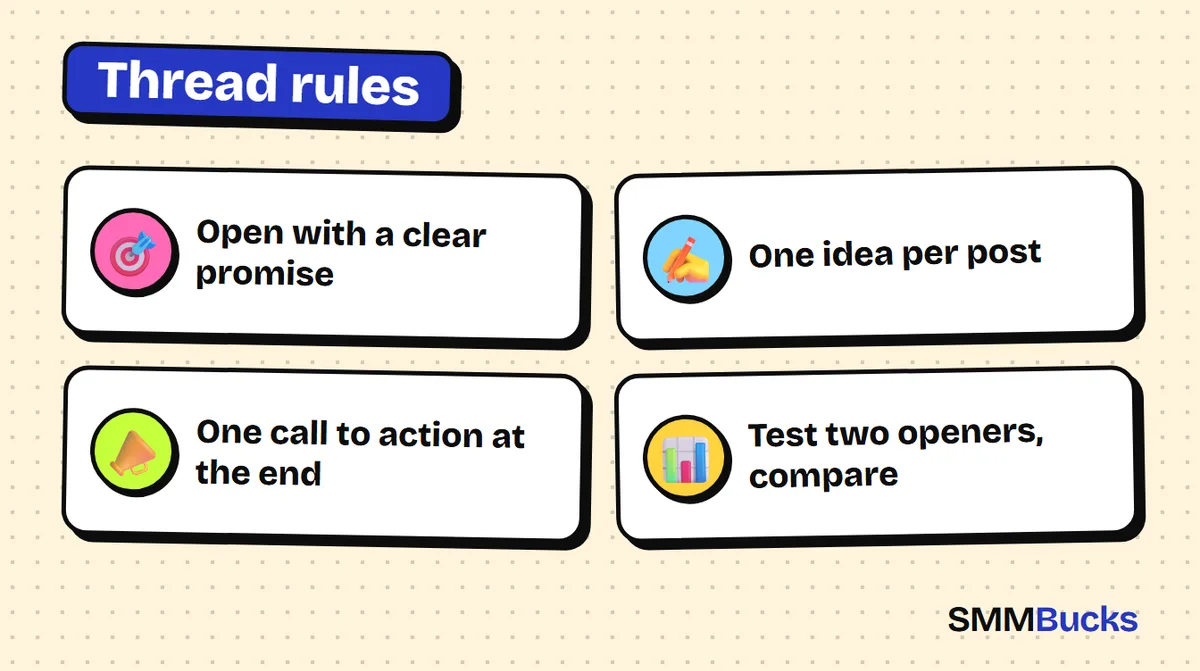
- Open with a clear promise
- One idea per post
- One call to action at the end
- Test two openers, compare
You spend two hours writing a ten-post twitter thread, and almost nobody reads past the first post. The problem is rarely the content. It is usually the opener, which did not convince anyone to tap and keep reading. This SMMBucks guide explains what a thread is, shows how to write a twitter thread step by step, and gives you copy-paste templates for the opener, a seven-post structure and the closing post. You will also learn a simple way to test two openers without guessing. No reach is promised, because results depend on your audience and your content.
What is a twitter thread? (Thread meaning on Twitter and X)
Thread meaning twitter: a thread is a series of connected posts published by the same account, which the reader sees as one short article split into parts. It lets you explain a whole topic, such as a story, a set of steps or a list, instead of squeezing it into one post. Since the rename, many people also say "X thread". It means the same thing.
- The first post: the shop window of the thread, and the part most people see in their timeline.
- The middle posts: carry the idea and its details.
- The last post: summarises, or asks for one single action.
People do not read a thread because you wrote it. They read it because the opener convinced them the time would pay off.
How to make a thread on X step by step
Wondering how to make a twitter thread on the app? The official help page (How to create a thread on X) describes a simple flow: write your first post, tap the plus icon to add the next one, repeat, then publish everything at once with the Post all button.
- Open the compose window and write your opener.
- Tap the plus (+) icon, which highlights once you have typed text, and add the second post.
- Add the remaining posts and check each one on its own: does it make sense without the post before it?
- Tap Post all.
Warning: button names and positions can differ by app version, device and account type, and the allowed post length can differ too. Check the X help centre before you rely on a specific number.
How to write a twitter thread opener people actually open
A good opener does one thing: it promises a specific result and shows how much time it will cost. Do not explain everything in it, and do not start with an introduction about yourself. Keep it short, complete in meaning, and pointing to more below.
Here are five twitter thread template openers you can copy. Swap the words in brackets for your topic:
- Result-and-time formula: "How to [get a specific result] in [short time]. I tried [method], and these are the steps in order:"
- Common-mistake formula: "Most people starting in [your field] make this mistake: [mistake]. Here is what to do instead (thread):"
- List formula: "[Number] tools/habits/ideas I use in [your field] that nobody talks about:"
- Story formula: "[Some time] ago I was [hard situation]. Here is what changed, step by step:"
- Open-question formula: "Do you think [common belief]? The reality is different, and the details are below:"
Use a number such as "7 posts" only if it is true. Readers count, and they notice padding.
Hypothetical example: for a small perfume shop, "marketing tips" is weak, while "3 mistakes that make your product photos stop selling, and how to fix them in one evening" is a specific promise.
What is the ready-made structure for a seven-post twitter thread?
The structure is a fixed order that saves you from rethinking everything: opener, problem, three ideas, an example, and a closing post. Seven posts suits a first thread. If your topic needs more or fewer, the number is flexible. Just never add a post only to make the thread longer.
- Post 1 (opener): the specific promise, from one of the formulas above.
- Post 2 (problem): "The problem is that [what happens to most people]." Two sentences at most.
- Post 3 (first idea): a short headline, then two lines explaining it.
- Posts 4 and 5 (second and third ideas): the same shape, so the reader gets used to the rhythm.
- Post 6 (example): "Example: [a situation from your experience, or a hypothetical one clearly labelled as hypothetical]."
- Post 7 (closing): a one-line summary, then a single call to action.
Pre-publish checklist: Does each post make sense alone? Is the rhythm the same across the ideas? Is the example real, or labelled as hypothetical? Does the closing carry one call to action? The check takes five minutes.
How do you close a thread with a call to action without being pushy?
Close with one call to action only. When you ask the reader for three things (follow, repost, reply, subscribe), they usually do none. Pick the action that serves your goal right now and state it in one direct sentence.
Ready-made closing templates:
- To gain followers: "If this helped, follow me. I post [type of content] every [period]."
- To start a discussion: "Which of these points have you tried? Tell me in the replies."
- To spread the thread: "If you know someone who needs this, share it with them."
- To save the content: "Bookmark this thread so you can come back when you apply it."
If you have a page or link to send readers to, put it in the closing post, not the opener, and do not hide that it benefits you. If the link is an affiliate link that pays you a commission, say so openly and check the platform rules on promotional links.
To see how likes and reposts are read, see the guide to Twitter (X) likes and reposts.
How do you test two openers and see which twitter thread wins?
Testing openers means publishing two threads with roughly the same content and two different openers, then comparing the numbers the platform shows for your own account. The goal is to learn what works for your audience, not to copy what worked for someone else.
X shows the owner of a post numbers such as impressions and engagements through the post activity view, and engagements include clicks on the post, replies, reposts and likes. Menu names can change, so check the "About your activity dashboard" help page.
- Write two versions of the opener using two different formulas from section three.
- Publish the first on a set day, at an hour your audience is usually active.
- Publish the second about a week later at a similar hour, on a related topic, so conditions stay close.
- After two days, note down: impressions, engagements, replies and new followers.
- Work out the engagement rate: engagements divided by impressions. You can rerun this formula with your own numbers.
Hypothetical example: if the first thread had 2,000 impressions and 60 engagements, the rate is 3%. If the second had 1,500 impressions and 75 engagements, the rate is 5%. These numbers are made up purely to show the arithmetic, and the second opener would deserve a repeat in a similar style. One test proves little, so repeat before you generalise.
Change only one variable per test, and keep a simple sheet of date, opener formula, impressions, engagements and new followers. You can browse the SMMBucks services list to see what exists, but testing your content comes first.
Can you save a twitter thread to PDF or download it?
People search for "twitter thread to pdf" to keep a thread or read it later. The simplest safe route is the app's own features: bookmark the thread, or copy its link into your notes. Which features you get depends on your app version, so check the help page.
Outside websites and apps that offer to turn a thread into a file exist, but we do not recommend any specific one. If you decide to try one, follow these rules:
- Never type your account password into an outside site.
- Save only content you own, and respect the author's rights if the thread is not yours.
What mistakes kill the reach of a twitter thread?
The most common mistakes are not technical, they are writing mistakes: a vague opener, long posts with no formatting, and a closing with ten requests. Avoiding them raises thread quality before anything else does.
- An opener that starts with "Hello" instead of a promise.
- A promise in the opener that the thread does not deliver, which destroys trust.
If your real problem is that people do not see your posts at all, you may first need a wider view of how an account grows. Start with the guide to growing your Twitter (X) account, then read the Twitter (X) views guide to understand the numbers you see.
When don't you need a growth service, and what is a 7, 14 and 30 day thread plan?
You do not need any growth service if your account is new and you have not yet written one good thread, or if your content has not found a specific audience. Higher numbers do not fix a weak opener, and no provider guarantees 100% reach or engagement. Platforms have policies on artificial engagement, so read them and decide responsibly.
Here is a practical plan you can run yourself with no extra tools:
- Within 7 days: collect five thread ideas, write two openers for each from the templates, publish your first thread and record its numbers.
- Within 14 days: publish a second thread with a different opener and compare engagement rates.
- Within 30 days: publish at least four threads, keep the two best formulas, and turn the best thread into shorter posts you repost.
If you later want extra support for your numbers, SMMBucks lists Twitter followers services from $1.04 per 1000 followers, views from $0.02 and engagement from $0.24. It is an optional extra, never a replacement for content. Read the service description first, keep the account public, and never enter a password. You may want to read is buying followers safe? first.
Frequently asked questions
What does thread mean on Twitter?
Thread meaning twitter: a series of connected posts from the same account that read in order like a short article. It lets a writer explain an idea longer than one post, such as a story, steps or a list. People also call it an X thread.
How do I make a twitter thread?
Write your first post, tap the plus icon to add the next, repeat until your ideas are complete, then tap Post all. That is how to make a twitter thread in the app. Button names can differ by app version, so check the help page on X.
How do I add more posts to a thread I already published?
According to the help page, you can add more posts from the thread's detail page using Add another post. Options can differ by app version and account, so check X's help centre if you do not see the button.
Can I save a twitter thread to PDF?
The safest approach is to bookmark the thread or copy its link into your notes, depending on what your app version offers. Be careful with outside sites: never enter your password, do not grant broad account permissions, and respect the author's rights before sharing or republishing a thread that is not yours.
How many posts should a twitter thread have?
There is no magic number confirmed by the platform. Many writers find that five to eight posts suits a single topic, but the more important rule is that every post carries a new idea. Test different lengths and compare your own numbers rather than relying on a fixed count.
Does a good thread guarantee a lot of reach?
No. Good writing raises the chance that people read and react, but reach also depends on your audience size, timing and how the platform shows posts, all of which can change. Measure your own numbers and improve the opener step by step.
Test your plan with numbers you can measure
Write your thread first. If you want extra support for your numbers, browse the Twitter (X) services on SMMBucks and read each service description before ordering.
Browse Twitter services