Twitch Chat Bot for Twitch Streamers: Free Bot for Your Stream (بوت شات تويتش)
This kind of service sends automated messages for a set time, and some packages use AI-driven users. It changes how the room looks, not who is watching, and it promises no growth. The platform restricts artificial engagement, so read its rules first, test one short package in a normal broadcast, then judge with analytics and your own replies.
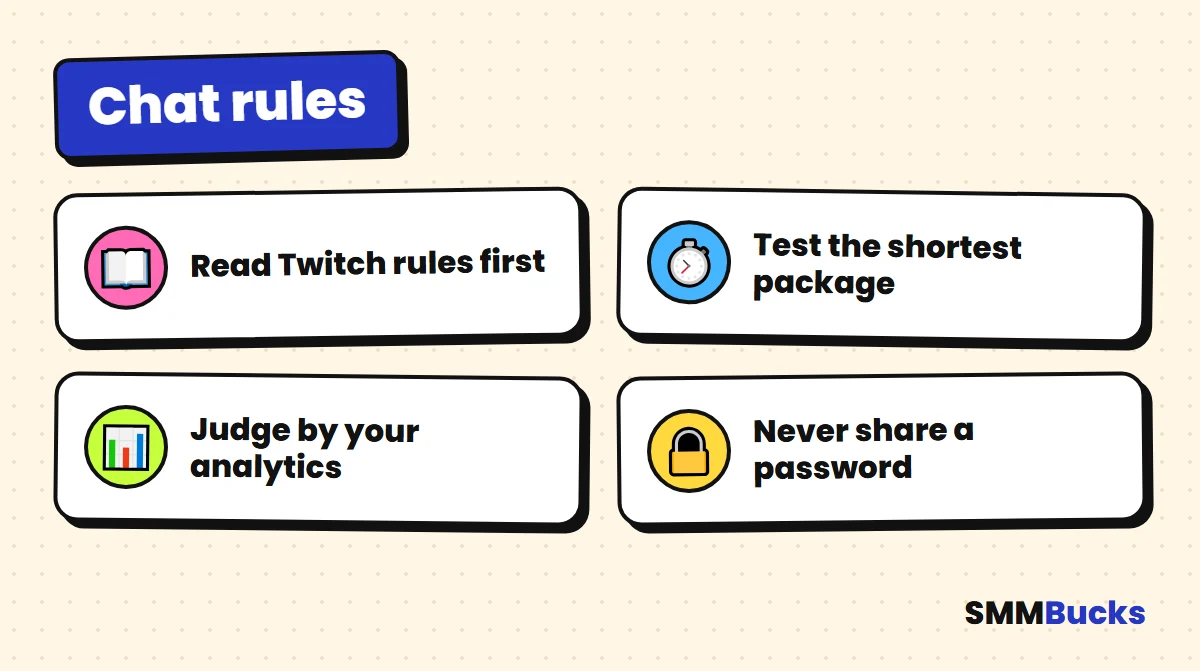
- Read the rules first
- Test the shortest package
- Judge by your analytics
- Never share a password
You have been live for an hour. Viewers drift in and out, and the room is so quiet it feels like talking to a wall. That is the moment many streamers search for a twitch chat bot, hoping a wave of messages will break the silence. Before you order anything, you should know what these services really do, how they differ from a free helper, from followers and from live viewers, and where the rules stand. This guide gives you a cautious test plan and safety rules, with no promised numbers.
What is a Twitch chat bot for Twitch streamers, and what can it do for your chat? (بوت شات تويتش)
A chatbot for Twitch is software or a service that posts or manages messages in a channel. Two very different things share the name: a program you run yourself to answer commands and moderate, and an outside service that adds messages from accounts you did not choose. The second kind needs the most care, because it adds messages only. It does not add an audience that is paying attention.
- Moderation or command helper: a tool you connect to answer repeat questions, run commands or remove abuse.
- Automatic message service: text that appears from outside accounts for a set period, sometimes only random emoji.
- AI package: a group of accounts that write varied messages instead of repeating one emoji.
Warning: any service like this changes the look of the room and nothing else. No one can promise that the look turns into viewers who come back.
Is a free bot for Twitch like WizeBot the same as a paid chat service?
No. Free tools such as WizeBot, Nightbot or StreamElements are helpers you connect to your own channel to run commands, timers and moderation. The tool answers questions and removes abuse for you; it does not send an audience. Features and prices change, so read each tool's own page before you pick one.
To use one, you normally log in on the tool's site and approve the permissions it asks for, then add your commands. You never need to give anyone your password, because the approval happens inside the platform itself. The common jobs of a free helper are:
- Commands and timers: repeat answers such as your schedule, rules or social links.
- Moderation: block banned words and spam links, so you can keep your chat readable.
- Points and giveaways: some tools let you reward your viewers with points, polls or draws; check which ones each tool offers.
- Alerts and overlays: show alerts on screen and a styled message box in OBS, which is a separate setup step.
How do you set up your bot and pick the best chat tool for your viewers?
Connect your bot with a login through your Twitch account, make sure the bot is a moderator in your channel, and test every command with chat before you go live, so the chat and your moderators know what it does. If you also broadcast on your Twitch or YouTube channel, check that this bot supports both platforms, because features differ.
The best chat tool for a small channel is usually the simplest one. Look for a dashboard you understand in ten minutes, with a clear way to switch off any feature. Most tools keep chat logs, so after your stream you can see what happened in your chat and change the rules that failed. Keep your chat and your rules visible, and ask for help from the helper only for repetitive jobs.
Tip: add one feature at a time. If something goes wrong on your stream and the room looks messy, you will know which change caused it.
What is a chat bot in practice, and how should you use it?
It is a helper, not a host. A chat bot and a moderator can share the work: use a chat bot to answer rules and links, and talk to chat yourself. Never run a bot without a moderator watching, because a rule can misfire and a bot or a script cannot judge tone. Many creators on a Twitch channel also stream elsewhere, and Twitch and YouTube each have their own rules for helpers, so check both. Keep chat alerts short, and use points to reward your regulars by name.
If this bot is slow or loud, switch it off. The room should feel like a conversation, not a wall of chat messages, and you want people to chat with the host, not a script. Ask your moderators and your viewers what they think, and learn from the bot only what the logs show. The moderator and the bot should never argue in public. Compare any tip with Twitch's own pages, because what works for a large channel may fail on a small one, and the size of Twitch communities varies a lot. Turn the filters on to keep your chat from drifting into spam, both in chat and in your Twitch chat rules.
How is an automated message service different from followers and real viewers?
An automated service adds messages, followers add a number on your channel page, and live viewers are people watching right now who decide to stay or leave. These are three different things, and each needs its own way of being measured.
- Follower: a cumulative number, compared with live viewers in our guide to Twitch and Kick followers.
- Live viewer: a real-time number that exists only while you broadcast.
- Message: text in the room, typed by a person or by an automated account.
In short, automated messages do not replace a person who answers you. At best they are background noise, and they may have little effect on anyone watching.
Are Twitch chat bots allowed under Twitch's rules?
The honest answer is that the platform's rules restrict artificial engagement. Press reports say Twitch describes fake engagement as a violation of its policies, and its CEO announced penalties in May 2026 for channels that inflate counts with bots. Enforcement details are not public, so nobody can tell you your channel will be untouched.
- Read the Terms of Service and Community Guidelines yourself before ordering, because they change.
- Look at the Moderation and Safety pages in Creator Camp, which appeared in our official search results.
Tip: If your goal is Affiliate or Partner status, avoid any risk to your channel. Those decisions belong to the platform alone.
For the general safety question, read is buying followers safe?.
What services does SMMBucks list for this?
At the time of writing, the SMMBucks catalog has two main kinds of services: standard options listed by country label and duration, and "AI Chat Bot" packages with AI-driven users. Prices change, and the services page always shows the current price.
Standard services
Each is labeled with a country such as USA or Germany and comes in a duration: 1 hour, 1 day, 1 week or 1 month, plus a random-emoji automatic option. Prices start around $2.24 for the shortest options and reach about $337 for the 1-month option. The description lists a maximum of 3K per order and a start within 0 to 1 minutes.
AI packages
A package is 20 AI users with human-like messages, automatic location and language, a message every 10 to 20 seconds, and a start in about 1 minute. Prices by duration:
- 2 hours: about $321.35.
- 3 hours: about $482.03.
- 4 hours: about $642.70.
- 5 hours: about $803.36.
- 6 hours: about $964.04.
Warning: these are per-package prices, not per 1000. Longer packages cost more. The service description is the reference, not this guide.
How do you choose a Twitch AI chat bot package by duration and location?
Choose the shortest duration that covers part of a normal broadcast, then the country or location label closest to your stated audience. A country label is a tag in the description, not proof of where any account's owner lives. Do not pay for a longer package until the short one has shown it suits your channel.
- Duration: a two-hour broadcast does not need a monthly service. Longer means more money and longer exposure to any problem.
- Language: messages in a language your audience does not speak look odd, so check what the description offers.
How do you test a package for Twitch and your stream with a cautious plan?
Test one short package in a normal broadcast, change nothing else, then compare numbers you record yourself. This is the only test that answers your own case, because someone else's story tells you nothing about your channel.
- Before ordering: read the full service description, then the platform's guidelines, and decide whether you accept the risk.
- Record a baseline: over your last three streams, note peak viewers, how many people actually typed, and new followers.
- Pick the shortest package: run it at your usual time, with no special promotion and no title or category change.
- Start it mid-stream: not in the first minute, so you can compare the half before and the half after.
- Watch the room yourself: did anyone reply to the messages? Do you see repetition? Does the language clash with your audience?
- Open analytics afterward: compare live viewers, watch time and new followers with your baseline.
- Decide after two tests: never from one stream, because category, day and competition move numbers too.
Tip: If live viewers and watch time did not improve, the package did not do what you paid for, and spending more will not change that.
How do you moderate your chat with AutoMod and chat settings?
Turn on AutoMod and set your chat modes before you go live, because automated messages may include repetition or wording you do not want. According to the developer documentation, AutoMod holds messages that may break the broadcaster's settings so moderators can approve or deny them first.
Menu paths differ between sources, so open your own Creator Dashboard and look for the moderation section. These tools help with any channel:
- AutoMod: set the hold level for your audience and review held messages.
- Followers-only mode: limits typing to people who follow you, with an optional minimum follow time.
- Slow mode: sets a gap between one message and the next for each person.
What safety rules and mistakes should you watch for?
The first safety rule is never to give your account password to anyone. SMMBucks orders work with your public channel link or username, so no login details are needed. After that come careful reading and small tests.
Mistakes to avoid:
- Ordering a month-long service before any short test.
- Confusing the package length with your broadcast length, and paying for hours you are not live.
- Trusting the prices in this guide instead of the services page.
A quick checklist before you press order:
- I read the service description and understand the duration, the maximum and the start time.
- I read the platform's rules and accept the risk myself.
- I recorded my baseline numbers.
- I chose the shortest duration.
- I expect no particular result.
For the ban question, read the truth about bans when buying followers, and remember nobody can confirm total safety.
How to get more chat in Twitch without any package?
The strongest way to get more chat in Twitch is to make typing easy and rewarding for people who are watching now. Direct questions, small polls and using names give a person a reason to write, and that is exactly what automated messages cannot give.
- Ask a simple question in the first two minutes: for example, "Which game do we start with?" with two options.
- Give every stream a fixed interaction moment: a poll, a challenge or a guess at the result.
- Leave gaps for replies: wait a full ten seconds after each question before you continue.
These steps are slow, but they build viewers who return, and numbers you can trust because you know where they came from. For a start from zero, see the 30-day plan in our first guide.
When don't you need a Twitch bot service?
You do not need this service if you have a small audience that already talks, if you are still in your first weeks without a fixed schedule or content, or if your first goal is the earning programs. In those cases it adds risk and does not fix the underlying problem.
- If your budget is limited, a package's price may serve you better as a microphone, lighting or a better stream layout.
- If you have not read the rules, read them first and decide afterward.
If you still want to explore, browse the SMMBucks services list, check the FAQ page for general questions about orders, and create an account on the signup page when you are ready. The smart move is always to start with the smallest option and measure it yourself.
Twitch chatbot questions streamers ask
What are chatbots on Twitch and what are they for?
A chatbot on Twitch is a tool that posts messages or manages a channel. A moderation helper runs commands, timers and filters for the streamer, while an outside service only adds messages. Neither brings in a real audience, so choose based on the job you need done.
What is the best free bot for Twitch streamers?
There is no single best option. WizeBot, Nightbot and StreamElements are well-known free choices for commands and moderation. Compare the features you actually need, such as timers, filters or points, read each tool's current page, and try one on a quiet stream before relying on it.
How do I add a bot to my channel and OBS?
Most tools ask you to log in on their site and approve permissions, then you add commands in their dashboard. For on-screen alerts or a message box, the tool usually gives a browser source link that you paste into OBS. Never share your password.
Is a chatbot the same as a view bot?
No. A moderation helper manages messages, an automatic message service adds text, and a view bot is a service that inflates a viewer number. They are separate products with different risks, and none of them can promise a result.
Frequently asked questions
What is a Twitch chat bot?
This kind of service sends messages into your channel during a stream for a set time, and some packages use AI-driven accounts. It does not add viewers who pay attention or promise any result. It differs from a moderation helper that you install yourself to run commands and manage the room.
Are Twitch chat bots allowed?
The platform's rules restrict artificial engagement, and press reports say it calls fake engagement a policy violation. Enforcement details are not public and may change. Read the Terms of Service and Community Guidelines yourself, accept responsibility for your choice, and do not trust anyone who says it is completely safe.
How do I get more chat in Twitch without paying?
Ask a simple question with two options in the first two minutes, read names aloud, wait ten seconds after each question, and build one fixed interaction moment into every stream, such as a poll or challenge. Share short clips elsewhere. It is slower, but it builds people who return.
What is the difference between an AI package and a standard option?
Standard options are listed by country label and duration, and some send random emoji. An AI package is a group of 20 AI users writing human-like messages every 10 to 20 seconds, priced as a whole package by duration. Always read the current service description first.
How much does an AI message package for Twitch cost?
At the time of writing, packages run from about $321.35 for 2 hours to about $964.04 for 6 hours. These are per-package prices, not per 1000. The services page shows current prices, which can change, so start with the shortest duration and read the description.
How do I know if a package worked?
Do not judge by how the room looks. After the stream, compare live viewers, watch time and new followers in your analytics with the baseline you recorded before, and see whether anyone replied to the messages. If none of those changed, do not spend more.
Does a package guarantee viewers, Affiliate status or earnings?
No. Nobody can promise viewers, Affiliate or Partner status, or earnings, because those depend on the platform and your audience. The service adds messages for a set period as the description states. No service offers absolute account safety, so read the rules and decide responsibly.
Read the description before any order
Browse the SMMBucks catalog and read each service description and current price carefully. If you decide to test, start with the shortest option and compare the result with your own analytics.
Browse services