Mass Order in SMM Panel: Place 20 Links Safely
A mass order in an SMM panel lets you submit many orders at once, one per line, in the format Service ID | URL | Quantity. To stay safe, test a single line first, read each service description and its minimum and maximum, keep accounts public, and never repeat a link whose first order is still running. No service guarantees results.
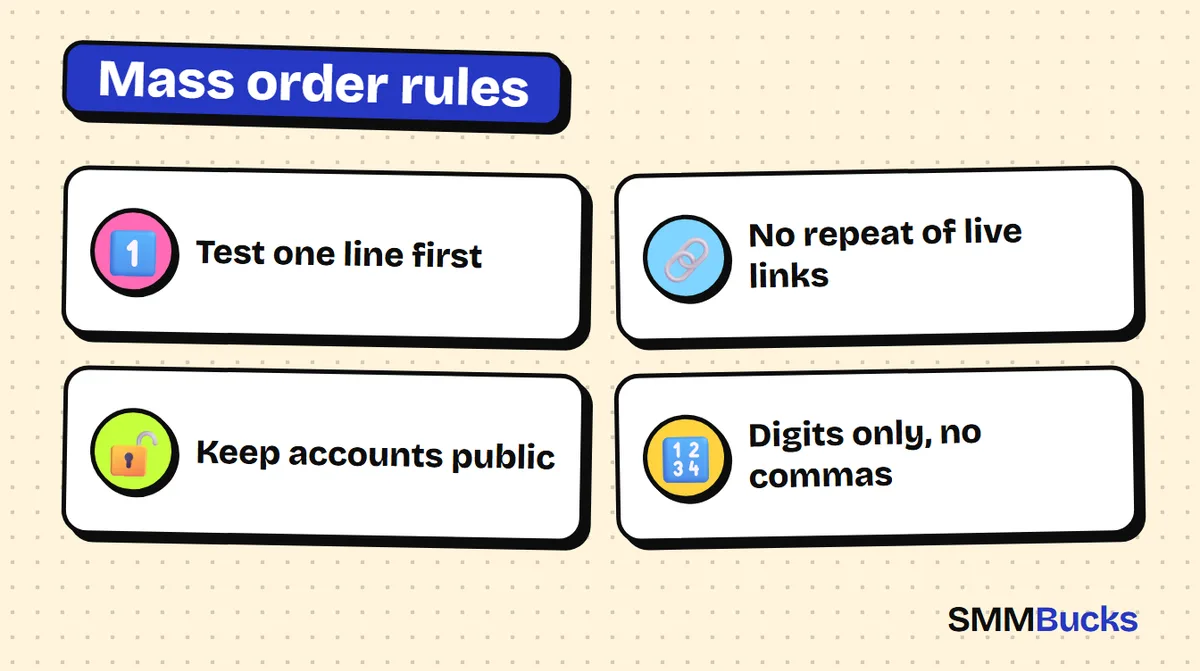
- Test one line first
- No repeat of live links
- Keep accounts public
- Digits only, no commas
Picture 20 product posts, or 20 client accounts, all waiting for an order. Filling the same form 20 times eats an hour, but one unchecked list can repeat a single typo across 20 lines in a second. This guide shows how a mass order in SMM panel dashboards works at SMMBucks, exactly as the FAQ page describes it: the line format, a test-one-line-first routine, a checklist and a worked example.
What is a mass order in SMM panel dashboards?
A mass order is an option that lets you send several orders in one step instead of filling the normal order form once per link. You write each order on its own line, then submit the whole list together. People also call it an smm panel mass order.
It helps anyone with many targets: a store owner with lots of product posts, a marketer serving several clients, or a creator with a batch of videos. It does not change the quality or speed of a service, it only shortens data entry. A mistake in one line gets copied into every similar line, so safety comes before speed.
Find services on the services list and read each description before putting its number on a line.
What is the correct line format for a mass order?
The FAQ page at SMMBucks gives the format as three parts separated by a vertical bar: Service ID, then URL, then Quantity. One order per line, and nothing else on the line.
Format example (IDs and links are illustrative):
102|http://instagram.com/testa|1000
102|http://instagram.com/testb|1000
Three details:
- Service ID: copy it from the services list. It differs per service; 102 is only an example.
- Link: the accepted link type is in the service description, because an account service differs from a post service.
- Quantity: digits only, no commas or dots. Write 1000, not 1,000.
When is a bulk order better than a normal order or drip-feed?
A bulk order fits when you have many different links that each need their own order. With one link and a quantity you want spread over time, use drip-feed instead.
- Normal order: one link, one service, one quantity.
- Mass order: many lines, each with its own service, link and quantity.
- Drip-feed: the same order repeats automatically. You set the runs and the interval in minutes, on services that show the Drip-feed button. The FAQ example: 200 likes per run, 5 runs, 30-minute interval gives 1000 likes spread out.
A practical rule (our suggestion, not a platform rule): with one or two links use the normal form, where the service description sits beside the fields. From around five links, a mass order saves real time.
How do you place 20 links at once? The safe workflow
Safety comes from order of operations: prepare, test one line, review, then send. This is the smm procedure to repeat before every large batch.
- Collect your links in a text file, each with its service and quantity.
- Read every service description. It lists specifications, start time and the minimum and maximum quantity.
- Make sure every account is public. The FAQ says the profile must be public when the order starts.
- Send one line only, first. Watch the order history until it moves from Pending to In progress.
- Copy the remaining lines in the identical format.
- Review the list line by line. Check the first digits of each Service ID: one wrong digit means a different service.
- Send, then check the order history. You should see twenty orders, not fewer.
Warning: according to the FAQ, an order with a valid link cannot be stopped. Cancellation with a refund applies when the link is invalid, for example a YouTube link in an Instagram service.
What does a real 20-link mass order look like? (worked example)
Here are smm examples you can copy. Everything is hypothetical: service numbers, links and prices are placeholders, so replace them with what you see on the services list.
Imagine a clothing store with 20 product posts on Instagram, wanting likes on each. You pick one service (assume ID 301), read its description for its limits, then write:
Example only:
301|https://www.instagram.com/p/example01/|500
301|https://www.instagram.com/p/example02/|500
301|https://www.instagram.com/p/example03/|500
... and so on until line 20
To estimate the cost, use: total cost = number of lines × (quantity ÷ 1000) × price per 1000 in the service description. With a hypothetical $0.50 per 1000: 20 × 0.5 × 0.50 = $5. Redo the math with the real figures. For reference, Instagram likes at SMMBucks start from $0.03 per 1000, but the price shown on the site is the one that counts and it can change.
Can you put the same link twice in a bulk order?
No, avoid it. The SMMBucks terms say that if you enter another order on the same link while your order is in progress, the system gives an error and your balance is burned. The FAQ adds that duplicating a link before the first order finishes can cause delays, with no guarantee.
A long list hides duplicates easily, so before sending:
- Sort the links alphabetically so duplicates sit together.
- Check the order history for any link with an unfinished order.
- For two services on one link (likes, then views), wait for the first order to finish.
Also, changing a username while an order runs changes the account link, and the FAQ says a name change cancels any refill. Wait until the order completes.
What is the checklist before sending any mass order?
A short checklist prevents most expensive mistakes. Paste it above every batch.
- Did you read the description of every Service ID, including start time and minimum and maximum?
- Is every line Service ID | URL | Quantity, with no stray spaces or empty lines?
- Are quantities digits only, within the service limits?
- Are all target accounts public?
- Is the list free of duplicates and links with an unfinished order?
- Is each link the type the service asks for (profile, post or video)?
- Did you test one line and see it start normally?
- Does your balance cover the total you calculated?
If you send orders from a script instead of the dashboard, see the API page and the SMM panel API guide.
What are the most common mass order mistakes?
Most mistakes come from rushing the send button. These are the usual ones, with the fix for each.
- Sending the whole list first. Fix: one line first.
- Writing 1,000 instead of 1000.
- Repeating a link. Fix: sort the list and check the order history. The terms warn about this directly.
- A private account. The terms say an order on a private profile may show as complete with no refund of the fee.
- Mixing link types, such as a profile link in a post service. Fix: read the description.
- Picking a Service ID by quick glance. Fix: copy the number from the list.
- Hiding or deleting the post mid-order. The terms say not to change or hide accounts or posts before completion.
- Expecting faster delivery. Speed follows the service, and the terms say listed times are estimates.
What should you do after sending a mass order? Reading the statuses
After sending, watch your order history. Each line is a separate order with its own status. As the FAQ explains them:
- Pending: being redirected to the server, during the start time in the service description.
- Processing: being processed by the server.
- In progress: delivering now.
- Completed: fully done.
- Partial: stopped, and the money for the incomplete part was returned to your balance.
- Canceled: stopped, and refunded to your balance.
- Refilling: being refilled on the server.
FAQ example for Partial: you order 1000 for $10 and 700 are delivered, so the undelivered 300 is refunded ($3) and you can place a new order for the rest. See the guide to order history statuses.
If a count drops later, use the Refill button in the order history, if that service has it (some do not). See what to do when followers drop and the SMM glossary.
What is a 7-day plan to learn mass orders without losing money?
You can learn the format in a day, but safe habits come from gradual practice. Raise the line count only after seeing results in your own history.
- Day 1: build a file with three columns: Service ID, link, quantity. Note each limit.
- Day 2: send one line with a small quantity and watch the statuses.
- Day 3: send three lines with completely different links.
- Day 4: compare each order cost with your calculation.
- Day 5: send five to ten lines after sorting and checking for duplicates.
- Day 6: study any Partial status or error and work out why.
- Day 7: send the 20-link batch and keep your file as a template.
Read the FAQ page once before you start.
When don't you need a mass order, or growth services at all?
You do not need a mass order for one or two links. The normal form is clearer and less error-prone. Skip it too if you have not tried the service with a small order to see how delivery looks.
More broadly, growth services do not replace weak content or an unclear offer. The terms state that new followers are not guaranteed to interact with you, and that no service guarantees non-drop. Platforms also have policies on artificial engagement, so read them and decide responsibly. For a wider view, read is buying followers safe?
A mass order is a time-saver for data entry, nothing more. SMMBucks puts the details in each service description, your order history and the FAQ page. Read them before every batch, then start with one line.
Frequently asked questions
What is a mass order in an SMM panel?
It is an option for sending several orders at once. You write each order on its own line in the format Service ID | URL | Quantity. It saves you from filling the normal order form for every link, but it does not change service quality or speed; each line shows as its own order.
How do I write a mass order line correctly?
Write the Service ID, a vertical bar, the link, another vertical bar, then the quantity, with no extra spaces or empty lines. Use digits only for the quantity, so 1000 and not 1,000. Copy the Service ID from the services list and read the description to learn which link type that service accepts.
What is considered bulk order, and how many links can I send?
Here a bulk order simply means many lines in one submission. The FAQ page gives no maximum number of lines, so we do not state one. Start with a small batch, grow it, and check the order history to confirm every line became its own order. Each service description lists its own minimum and maximum quantity.
What happens if I repeat the same link in a mass order?
The SMMBucks terms say that entering another order on the same link while the first is in progress gives an error and your balance is burned. The FAQ also warns of delays and no guarantee. Sort your links, check the order history, and wait for the first order to finish.
Can I cancel a line I got wrong after sending?
The FAQ says an order with a valid link cannot be stopped. It can be canceled with a refund to your balance only when the link is invalid from the start, such as a YouTube link in an Instagram service. That is why testing one line first and reviewing the list carefully matter.
Does a bulk order work with private accounts?
The FAQ says the profile must be public when the order starts, and the terms say orders on private accounts may be marked complete with no refund of the fee. Make every account in your list public before sending, and keep it public until the order finishes.
Test one line first
Read the service description, send one small order, then move to the full batch with confidence. The FAQ explains the format and the statuses.
Read the FAQ