SMM Panel API: How to Connect Your Store or Bot Safely
An SMM panel API lets your website or bot send orders to the panel and read their status automatically, instead of you pasting links by hand. The usual flow is: fetch services, create an order, track its status, then refill or cancel if the service supports it, and check your balance. Keep the key secret on your server, test with one small order, and never promise guaranteed results.
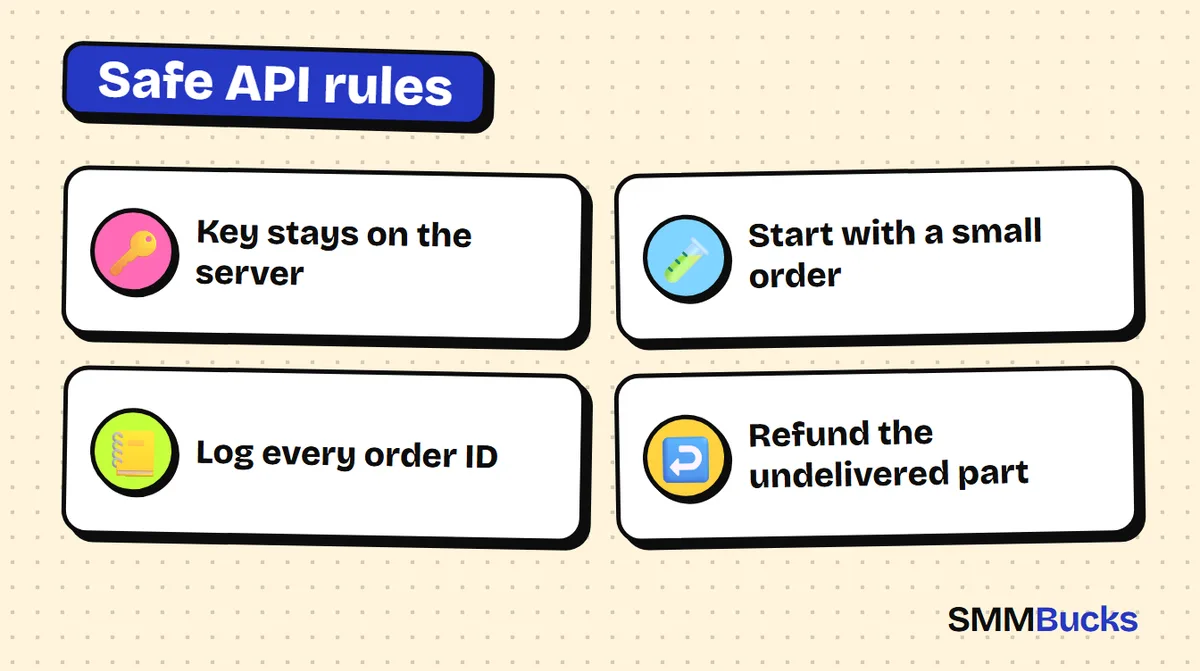
- Key stays on the server
- Start with a small order
- Log every order ID
- Refund the undelivered part
You build a small store or a bot that sells social media services, and two weeks later you are pasting links into the panel one order at a time. An SMM panel API fixes that: your system sends the order itself and asks for its status. This guide covers the idea, the working sequence, a safe setup, a pre-launch test and the mistakes that cost money. No income promises, just what you need to start with confidence.
What is an SMM panel API and what does it do?
An SMM panel API is a programming interface that lets your software, whether a website, a bot or a script, send commands to the panel and receive JSON answers without anyone clicking in the dashboard. Searchers call it a "smm panel api reseller" setup, an "api reseller smm panel" or a "smm panel with api"; all mean the same thing: you resell services, and your system places the orders.
The API adds no new services; it reaches the same ones in the services catalog. The exact reference lives on the SMMBucks API page. Treat that page as the smm panel api documentation to code against, not this article.
How does the usual flow work, from services to an order?
Every request is a POST that carries your key in a parameter called key, plus an action parameter that says what you want. Replies come back as JSON, and the same pattern repeats for every action.
- Fetch services: the action is services. Each service has an ID, name, type, category, price (rate), minimum and maximum quantity, and fields showing whether it supports refill and cancel.
- Create the order: the action is add. In its simplest form it needs the service ID, link and quantity, and returns an order ID.
- Track the status: the status action takes an order ID and returns the charge, start count, status, remaining quantity and currency.
- Refill and cancel: refill and cancel take an order ID; refill_status reports on a refill.
- Balance: the balance action returns your balance and its currency.
Tip: never assume refill or cancel exists for every service. Read the matching fields in the services list before showing any button to your customer.
Which order types does the add action support?
Services differ, so the add action accepts different parameters depending on the service type. Do not assume every service needs only a link and a quantity.
The page describes types that need just a link, types that need keywords or written comments, and others that need usernames or hashtags. There are also types for polls, comment replies and group invites, plus recurring subscription types with parameters for delay, number of posts and expiry date.
The practical rule: read the type field in the services list to learn what each service needs, and build your input form around it. For exact parameter names, go back to the API page.
How do you connect a store to a panel API safely?
A safe connection means your smm panel api key never leaves your server, and everything arriving from a browser or user is untrusted until you verify it. That is a general rule for any integration.
- The key is a secret: keep it in an environment variable or secrets manager, never in a file pushed to a public repository.
- No client-side code: never put the key in browser JavaScript or in a mobile app that can be unpacked. The browser talks to your server, and your server talks to the panel.
- Validate first: check the link is valid and from the right platform, and the quantity sits between the service minimum and maximum.
- Log everything: save the panel order ID next to your own customer order ID, the time and the status.
- Limit who can order: never expose your order endpoint to anonymous visitors without restrictions.
If you suspect your key leaked, treat it like an exposed password: change it from your account at once and review recent orders.
What should you do when an order fails or completes partially?
Plan for failure before launch: any reply containing an error field means the order did not succeed, so log it and never tell the customer it went through. A partial order shows in the status, and the remains value tells you how much is left.
At SMMBucks, the undelivered part of a partial order is returned to your balance. In your store, you must also give your customer back the value of what never arrived, or offer to complete it. Automate it: when you read a partial status, calculate the remainder and credit or refund per your written policy.
Hypothetical example: a customer orders 1,000 and 700 arrive. You return the value of 300 and say so clearly.
How do you track status, refill and cancel without overloading your system?
Check statuses in batches: collect your open order IDs and ask about them in one request. The API page lets the status, refill, refill status and cancel actions accept multiple IDs, up to 100 per request.
The page does not state a requests-per-minute limit, so do not assume one. Poll every few minutes rather than every second, and widen the interval if errors appear.
Refill
Show the refill button only when the services list says the service supports it. Track it with refill status; the result can be completed or rejected, so tell your customer a rejection is possible. To understand why numbers fall, read the guide to dropped followers and refill.
Offer cancel the same way: only where supported, and check the returned result before refunding money.
How do you set your prices on top of the API prices?
The price in the API is your cost, and you set the selling price above it. Fetch the rate from the services list instead of hardcoding it, because prices can change.
Hypothetical example with invented numbers: if a service rate shows 0.40 per 1000 and you choose a fixed percentage margin, calculate the customer price in code.
- Keep the margin as one value in a settings file.
- If a service disappears from the list, disable it in your store automatically.
Loyalty levels give an automatic discount as your total spend grows, from Bronze at 2% up to Legend at 12%, so your margin can improve over time. For the bigger picture, read the guide to starting an SMM panel reseller business.
How do you test the integration with one small order before launch?
Test with the smallest possible order on an account you own, before any customer sees it. The goal is to confirm every link in the chain works: form, order, status and balance.
- Create an account on the sign-up page and add a small amount you can afford to lose.
- Call the balance check first; a correct balance means the key and connection work.
- Fetch the services list and pick a simple service with the lowest quantity, using a public account.
- Send the order, save the returned ID and confirm it appears in your order history.
- Track the status until it completes and compare the charge with your own calculation.
- Trigger a deliberate error, such as a wrong link, and see how your code behaves.
Pre-launch checklist
- Key in an environment variable, not in the code.
- Every reply checked for the error field.
- Links and quantities validated before sending.
- Balance checked regularly, with an alert before it runs out.
Which common integration mistakes should you avoid?
Most failures come from shortcuts taken in week one:
- Key on the client side: anyone with browser tools can see it and spend your balance.
- Sending an order twice: a double-click or retry repeats the call. Save the order state before sending.
- Ignoring the balance: it runs out, orders fail, and the customer has already paid.
- Unsupported promises: offering refill or cancel where the service lacks them.
- Wrong links: a private account or a link that does not match the service type. See the glossary of drop, refill, start and speed.
Warning: no service guarantees 100% results, and platforms have policies about artificial engagement. Read each platform policies on its official pages and explain this honestly to customers.
When don't you need an API at all?
If you place only a few orders a week, you do not need an smm panel api; doing them by hand is simpler. The time spent building and maintaining a system exceeds the time it saves.
Work manually for a few weeks, learn which services sell, then automate what has proven useful.
If you want a full website with registered customers rather than a system from scratch, a child panel may suit you better. To learn the terms, read what an SMM panel is.
Frequently asked questions
What is an SMM panel API?
It is a programming interface that lets your website or bot send orders to the panel and read their status and your balance as JSON, without logging into the dashboard. Your program sends POST requests carrying your key and an action, such as fetching services or creating an order. It adds no new services; it reaches the same ones automatically.
How do I protect my SMM panel API key?
Keep the key in an environment variable or secrets manager on your server, never in browser code, a mobile app or a public repository. Let the browser talk only to your server. If you suspect a leak, change the key immediately and review your recent orders.
Can I cancel an order or request a refill through the API?
The API page provides actions for both, but the services list has two fields showing whether each service supports refill and cancel. Read them before offering the option to customers, and check the returned cancel result before refunding anyone in your own system.
How many orders can I check in one call?
The page says the status, refill, refill status and cancel actions accept multiple IDs, up to 100 per request. Group your open orders into one call and schedule checks at reasonable intervals to lower the load on your system and the panel.
Is there a rate limit on SMM panel API requests?
The page does not state a specific limit, so it would be wrong to give you a number. Check statuses in batches at reasonable intervals, log errors, and slow down if repeated errors appear. For firm figures, rely only on what the API page publishes.
What happens if an order is only partly delivered?
At SMMBucks, the undelivered part is returned to your balance. For your own customer, work out the remaining quantity from the order status, then refund its value or offer to complete it according to your written policy, and say so in a clear message.
Do I need an API to sell a few orders a week?
Usually not. With few orders, doing them by hand is simpler and cheaper than building and maintaining a system. Consider an integration once orders repeat at a volume that tires you out, and test with one small order first.
Ready to read the API reference?
Open the API page to find the actions and parameters by their exact names, and start with one small order on your own account before connecting any customer.
Open the API reference