Twitter Marketing for Small Businesses: 30-Day Plan
Twitter marketing for small businesses works as a channel for conversation, replies and links, not as a storefront. The plan: week one to set up and observe, week two for product posts and a thread, week three for replies, week four to measure from your own analytics. Results are never guaranteed and can be zero, so start small and decide by your numbers.
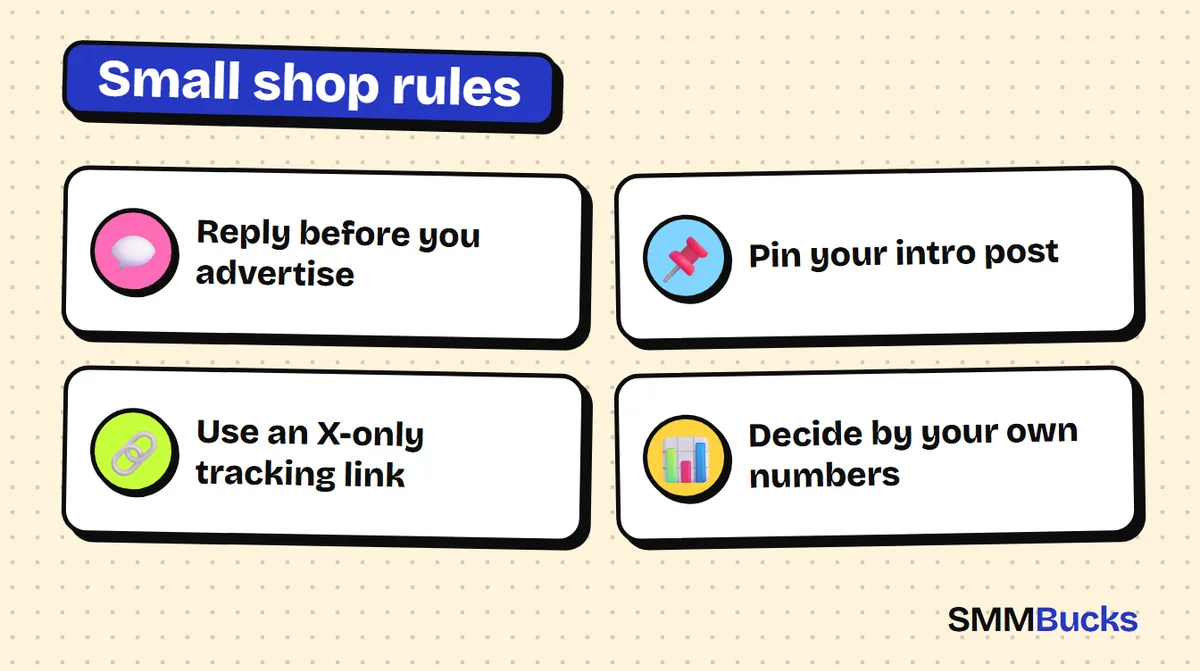
- Reply before you advertise
- Pin your intro post
- Use an X-only tracking link
- Decide by your own numbers
You open an account for your shop, post a product photo with the price, and wait. Nothing happens, so you decide the platform is not for small shops. Usually the problem is not the platform: the post announced something instead of starting a conversation. This guide to twitter marketing for small businesses gives you a 30-day plan in four weeks, copy-paste templates, a way to measure link clicks from your own analytics, and an optional small test where you decide by numbers, not impressions.
Is Twitter good for small business, and who is it for?
Twitter (X) suits a small business if your product can be explained in a sentence or one picture and you are willing to write and reply regularly. It suits you less if you only want a photo gallery. X is a text-and-replies platform first.
People here look for opinions, recommendations and quick answers. A small shop has an edge big brands lack: the owner can speak in their own voice and reply personally. That is the core of using twitter for small business, and a realistic twitter marketing strategy starts from it.
Quick questions before you start
- Can you describe your product in two lines?
- Do you have real photos of your products or of orders being prepared?
- Do you have one clear link to send people to, such as a store page, WhatsApp or an order form?
- Can you spare roughly 20 to 30 minutes a day?
If the answers are yes, keep going. If you cannot find time to reply, read the last section first.
How do you set up a Twitter account for your shop before day one?
Spend a day or two on setup: a clear name, a steady profile photo, a header showing what you sell, a short bio, one link and one pinned post. X's help page on customizing your profile lists a 160-character bio limit, so write tightly.
Account setup checklist
- Name and handle: keep them close to your shop name on other platforms so people can find you.
- Profile photo: a simple logo that reads when small.
- Bio: what you sell, for whom, and where. Template: "We make [product] for [audience] | Shipping to [city] | Order via the link".
- Link: one link only. Pick the page you want a visitor to see first.
- Pinned post: X's help page describes pinning a post to the top of your profile, so make it a short intro to the shop with your best product.
Tip: the X interface and option names change from time to time. If you cannot find an option where described, check X's official help pages.
What should you do in week one of a Twitter marketing plan?
In week one, do not try to sell. Read, follow, reply and publish three simple posts. The goal is to turn an empty account into one with a personality, and to learn how your future customers talk.
Week one steps
- Days 1 and 2: finish the setup and pin your intro post.
- Day 3: find thirty accounts in your niche: similar shops, likely customers, reviewers. X's advanced search (see its help center) can surface people asking about products like yours.
- Days 4 to 7: publish one post a day from the template below and leave a useful reply on five posts from other accounts.
"Behind the scenes" template
"Here's what happened in our workshop today: we packed [number] orders for [city]. The hardest part was [honest detail]. Want to see how we wrap an order?"
At SMMBucks we suggest every shop owner starts with their story before any tool. This kind of post puts a face to the shop and gives small stores something that cannot be bought: a true story.
How do you write a product thread in week two?
A product thread is a short series of posts that tells a customer problem first and presents your product as the answer. In week two, write one thread, two single product posts, and keep replying daily. Put the link in the last post or in a reply below, not in the first post.
Product thread template
- Post 1 (the hook): "Why does [problem your customer knows] keep happening? (thread)"
- Post 2: an example from your real customers, with no names or personal photos unless they agreed.
- Post 4: a photo of your product solving it, with a price or price range if you like.
- Post 5: "For details or sizes, the link is here: [link]. I'll answer questions below."
More formats: Twitter thread templates for more reach.
Single product posts can be a question ("Which colour do you prefer?"), a before-and-after of order prep, or an answer to a repeated question.
How do replies drive twitter marketing for small businesses in week three?
In week three, a twitter marketing campaign for a small shop means spending most of your time replying, not posting. Choose ten to twenty accounts your audience follows and reply with an opinion, a fact or a smart question. A good reply introduces you without asking for anything.
Three kinds of useful replies
- Add information: "We tried this in [your field] and noticed [observation]."
- Ask: "What made you choose [option]? We're thinking about [improvement]."
- Answer a general question: if someone asks "who sells [product]?", reply politely and say clearly it is your shop.
Etiquette rules
- Do not drop your store link in replies to other accounts unless someone asks for it.
- If someone complains, apologise publicly in one sentence and move the details to a private message.
- Tell your audience honestly when a link is commercial or paid, and read the platform's rules.
What should you measure and adjust in week four?
In week four, check what worked in your own analytics, repeat the best post type and drop the weakest. Open your post analytics and note for each post the impressions, profile visits and link clicks. Metric names and availability vary by account, so check X's help pages.
Keep a simple sheet: post type, impressions, link clicks where available, and enquiries that followed.
At the end of the month ask: which type brought the most enquiries, and which posting time did best? Your own numbers beat any general rule.
For the wider picture of growth options on the platform, and how to think about Twitter likes and reposts, read the Twitter (X) growth guide.
How do you know how many clicks reached your shop from X?
Use a separate tracking link for X, then compare its clicks with what your store analytics shows. X analytics tells you link clicks inside the platform, while your store's analytics shows what visitors did after landing.
Tracking steps
- Create an X-only link with a source tag (such as UTM parameters) if your store platform supports it.
- Use it in your bio, the pinned post and the last post of each thread.
- Each week, compare X clicks with store visits.
Hypothetical example with illustrative numbers
Imagine a shop whose posts get 10,000 impressions in a week and 100 link clicks, a 1 percent click rate. If 2 of every 100 visitors buy, that is 2 orders. These numbers are illustrative only, not a benchmark and not a promise.
The formula you can re-run with your own figures: orders = impressions x click rate x purchase rate. If any one is zero, the result is zero, and you should accept that possibility as you start.
See social proof for stores to learn how to reassure visitors once they reach your checkout page.
Is paid engagement worth a small test in x marketing strategy for stores?
It can be a small, optional test, never the core of the plan. Decide only after you see your organic numbers in week four. No service guarantees 100% results, and platforms have policies on artificial engagement, so read them and decide responsibly.
How to test with care
- Start with a very small quantity on one post or on followers, then check whether messages or clicks changed.
- Read the service description before ordering: it states the start, refill and whether the service targets a specific country.
- Make sure the account is public when the order starts, and do not place two orders for the same link at once.
SMMBucks lists Twitter followers from $1.04 per 1000, and Twitter likes and reposts from $0.24 per 1000, as currently shown; prices can change. If you test, the order history has a Refill button on services that support it, as their description says, and more answers are on the FAQ page. To understand order statuses afterwards, read how to read order history and statuses.
Warning: more followers do not automatically turn visitors into buyers.
What mistakes do small shops make with Twitter marketing?
The three most common mistakes are posting only prices, disappearing after a week and ignoring replies. All can be avoided with a simple plan and a fixed schedule.
Mistakes to avoid
- Ads only: every post says "order now". Nobody engages with a billboard.
- Too many links: a link in every post.
- No replies: an unanswered question costs you the trust of everyone reading.
- Unproven claims: quoting sales figures or ratings you cannot prove.
Weekly rhythm: three posts, one thread from week two, daily replies to five accounts, and one fixed day to review numbers.
When is this plan not for you?
Twitter marketing is not for you if you cannot reply to people, if your audience lives entirely on another platform, or if you expect quick sales in the first week. In those cases, focus on the platform where your customers already are.
- Your audience does not use X at all.
- You have no product ready to deliver.
- You cannot commit half an hour a day for a month.
- You want something that sells for you without effort. No such guaranteed solution exists.
Always check local laws and the platform's terms on ads and affiliate links. If you want a wider view before committing, start with the Twitter (X) growth guide and come back.
After thirty days you hold real data about your own account and can decide whether to continue or change direction.
Frequently asked questions
Is Twitter good for small business?
It can be, if you explain your product simply and engage regularly. It is a poor fit if you only want a photo gallery or have no time to reply. Test for thirty days and judge by your own numbers; results vary and can be zero.
How often should a small business post on Twitter each week?
There is no single official rule, but a reasonable start is three posts a week plus one thread from week two, with daily replies. Consistency matters more than volume. Review your analytics and keep what brings enquiries.
Should I put my shop link in every post?
Better not to. Keep the link in your bio, your pinned post and the last post of a thread, and let the other posts build interest. Constant direct ads can tire your audience.
How do I measure link clicks from Twitter?
Open the analytics for each post in your account to see impressions and link clicks where available, then add an X-only tracking link in your store to compare with actual visits. Metric names and availability can differ by account, so check X's official help pages if you cannot find them.
Should I buy followers for my shop's Twitter account?
That is an optional choice, not part of the plan. No service guarantees 100% results, and platforms have policies on artificial engagement. If you try, keep it a small test, read the service description and order history, make sure the account is public, and compare the effect on messages and clicks.
How much time does Twitter marketing take each day?
About twenty to thirty minutes a day is usually enough at the start: a post or its preparation, replies to a few accounts and a check of messages. Threads take longer, so plan them in advance.
Try one small step
Start with the organic plan first. If you want a small test for your account, look at the Twitter follower services and their listed prices, then decide.
See Twitter services